

Give Us Access to Your Ohio Tax Account
Giving us access to your account in OH|TAX eServices, the Ohio Department of Taxation's online portal, lets us see your Ohio notices, payments, and filing history and respond to the Department for you.
You need an OHID login and access to your own account first. If you've never used OH|TAX eServices, follow the Department's guide to access your individual income tax account or request access to your business account, then come back here.
Send the invitation to Ben Schultz's email address, the one you use to email him. If you don't have it, call us at (614) 362-1992.
Individual accounts
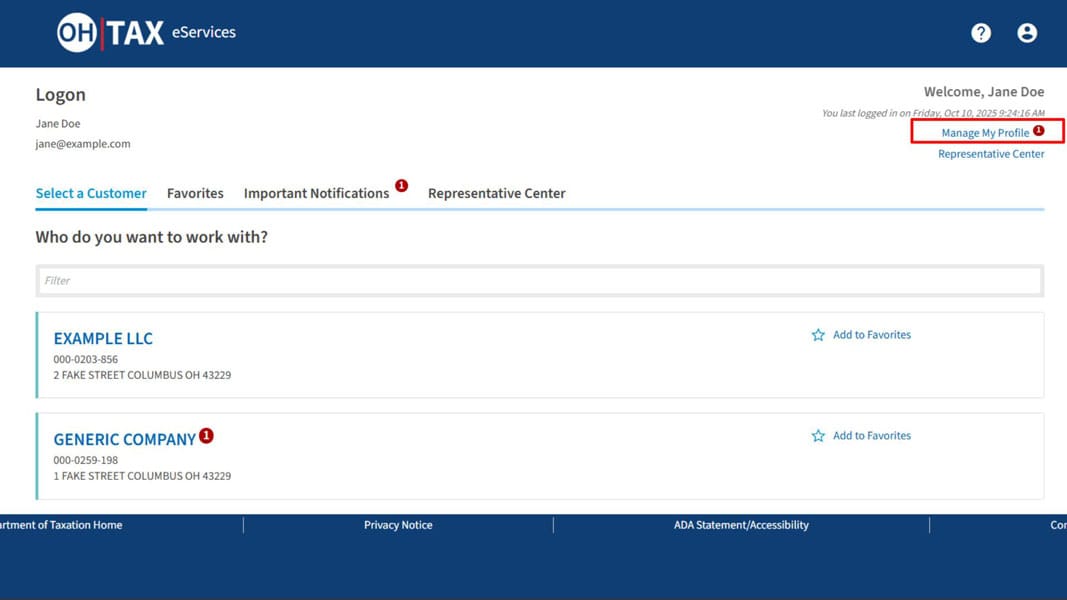
1. Log in at myportal.tax.ohio.gov and select Manage My Profile in the upper right.
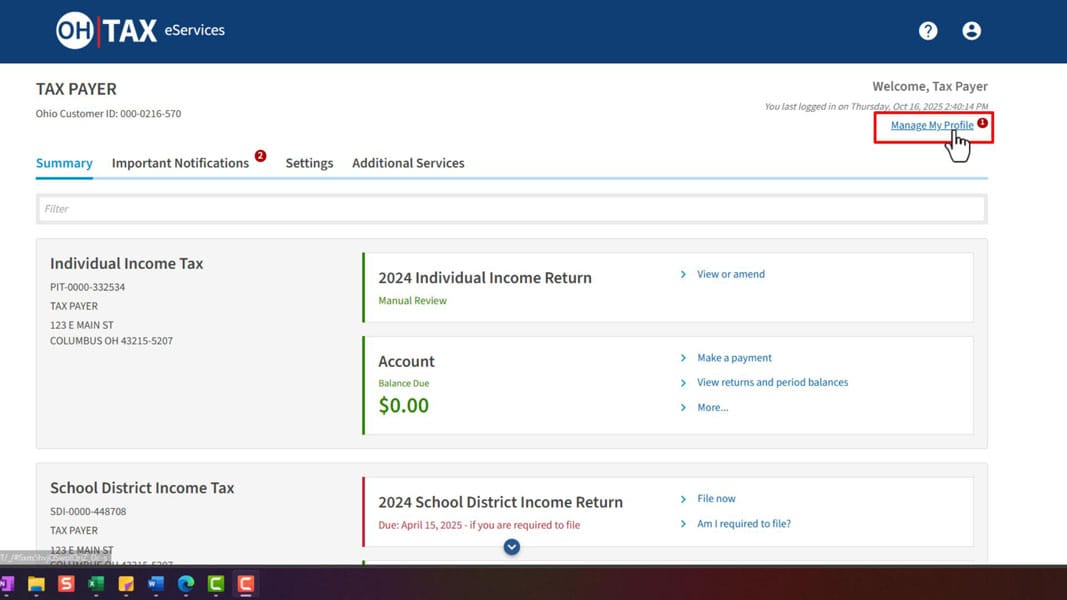
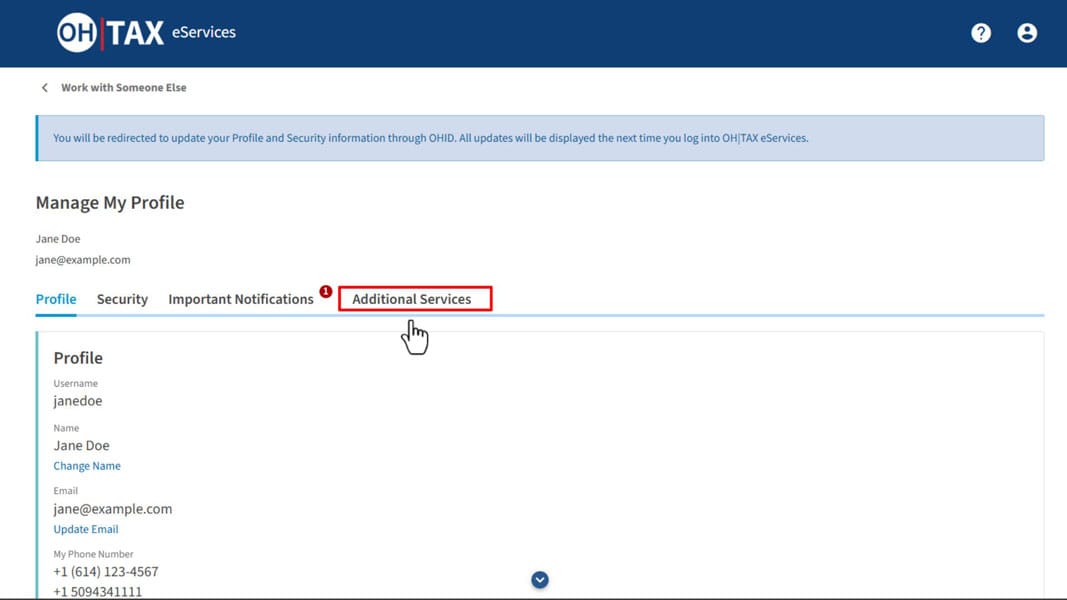
2. Select the Additional Services tab.
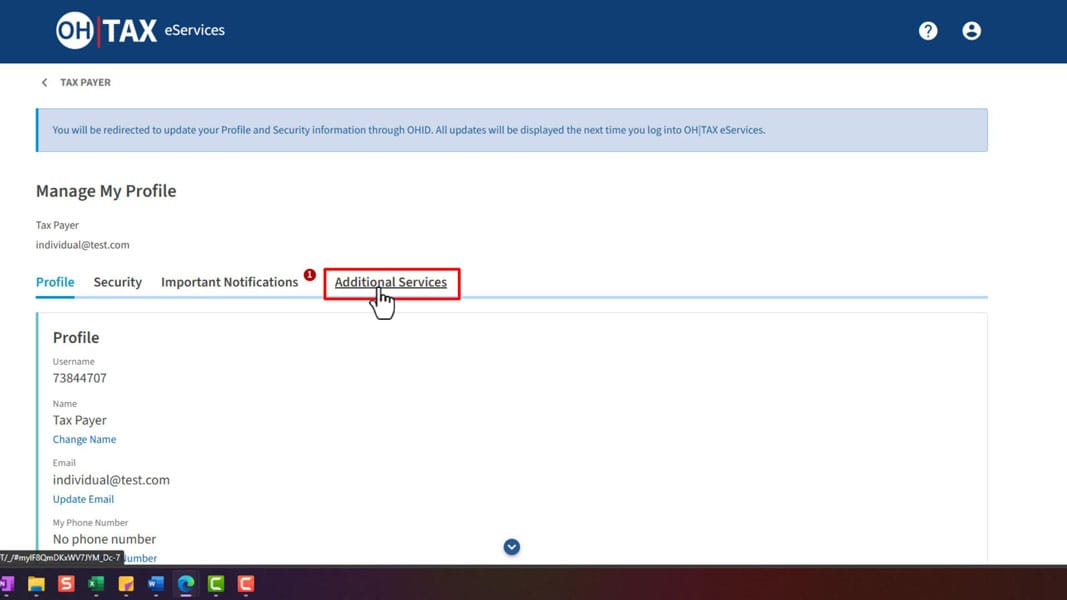
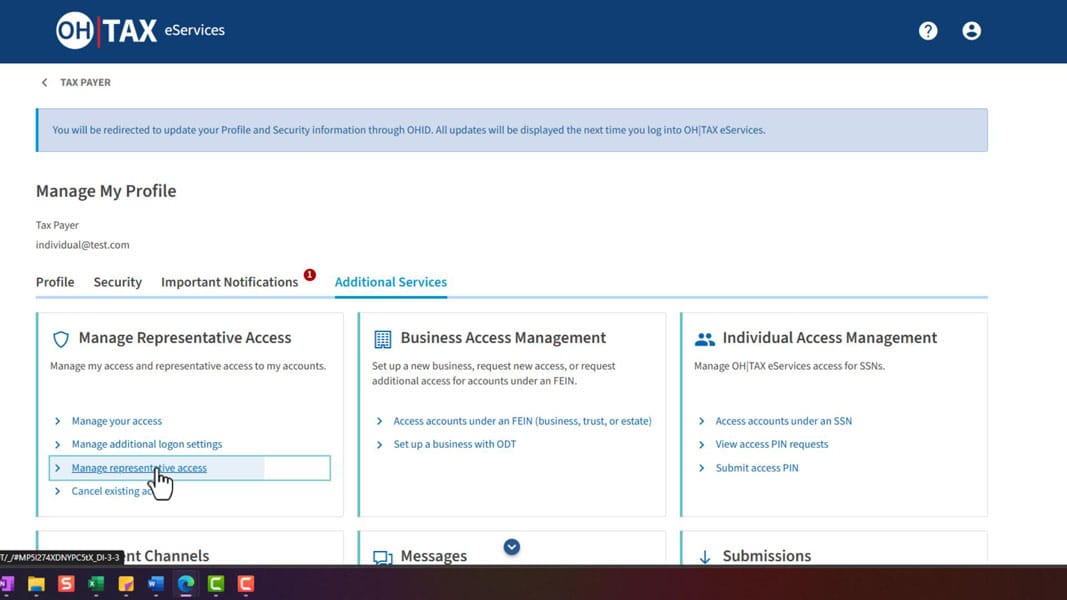
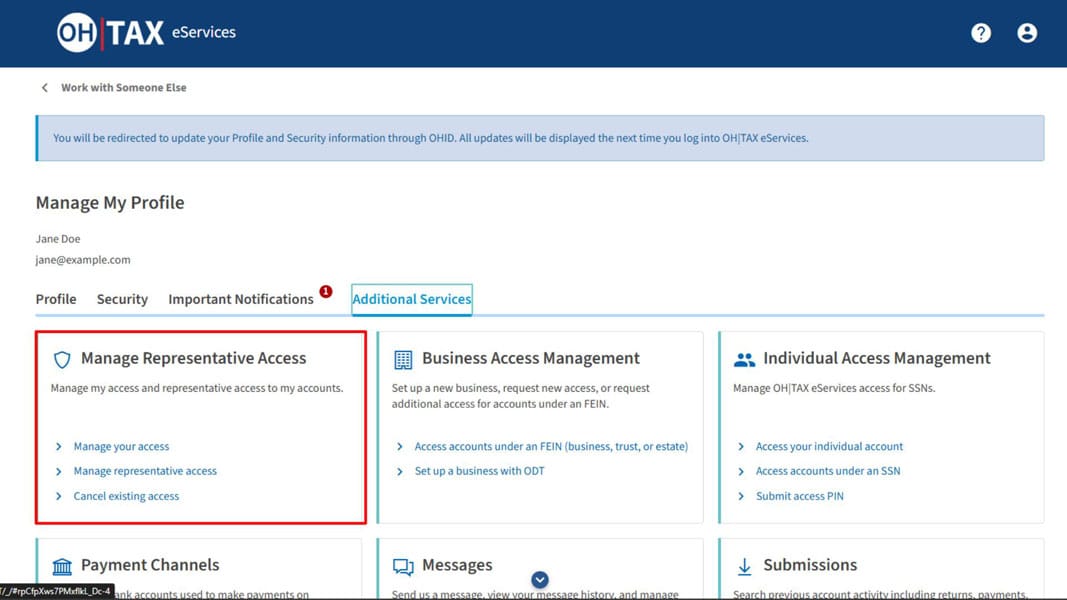
3. In the Manage Representative Access tile, select Manage representative access.
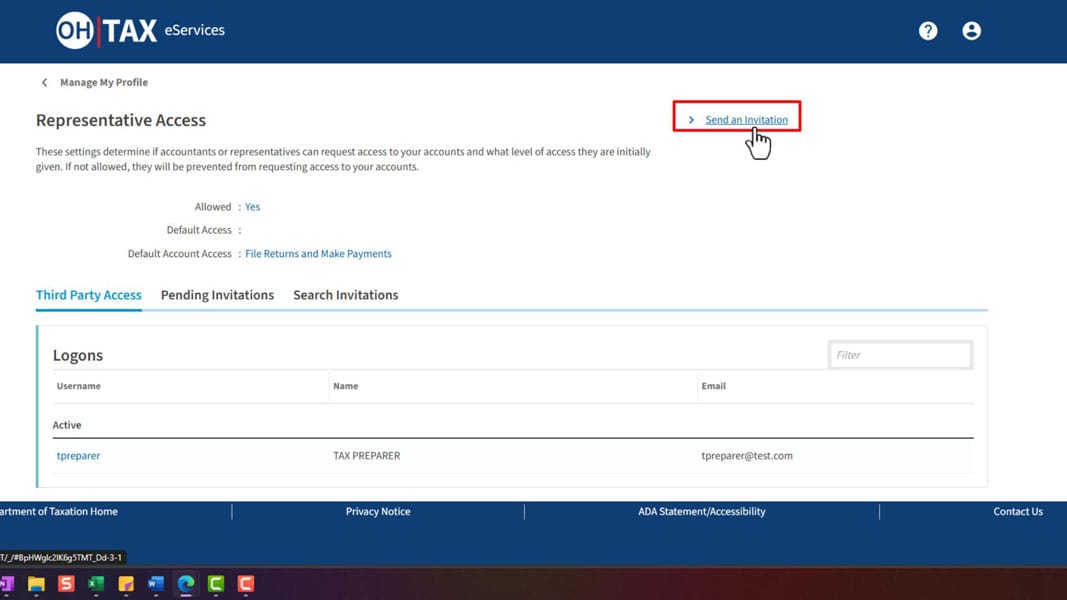
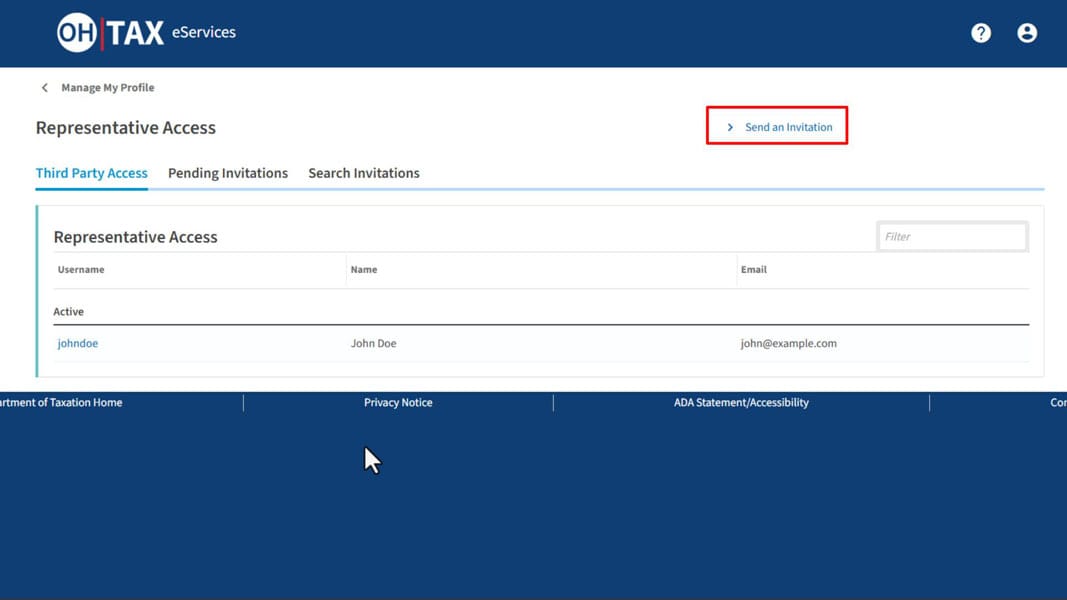
4. Select Send an Invitation.
5. Enter Ben's email address in both boxes and select Next.
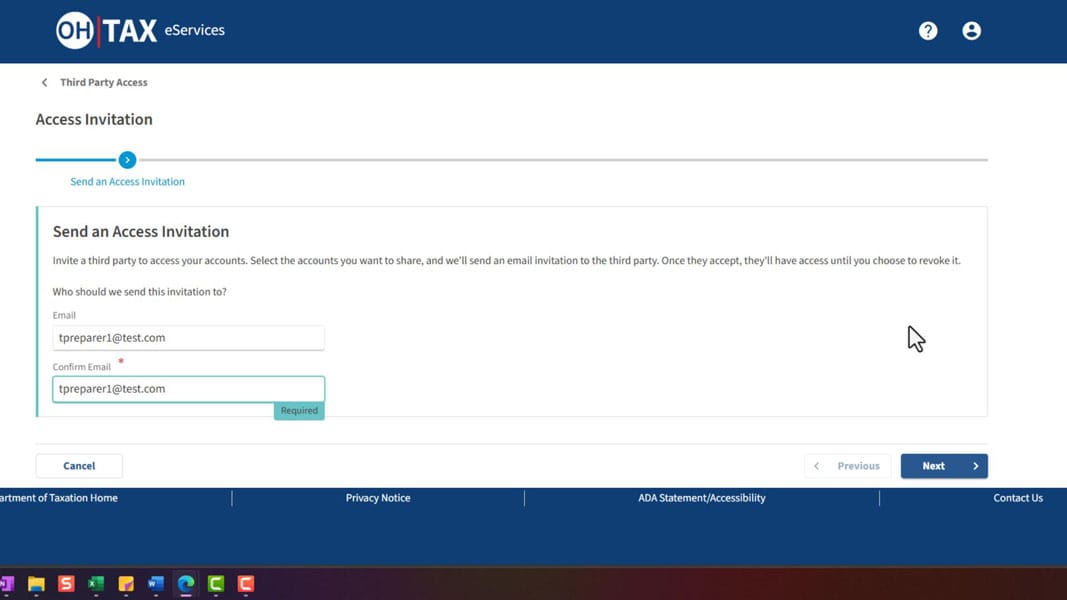
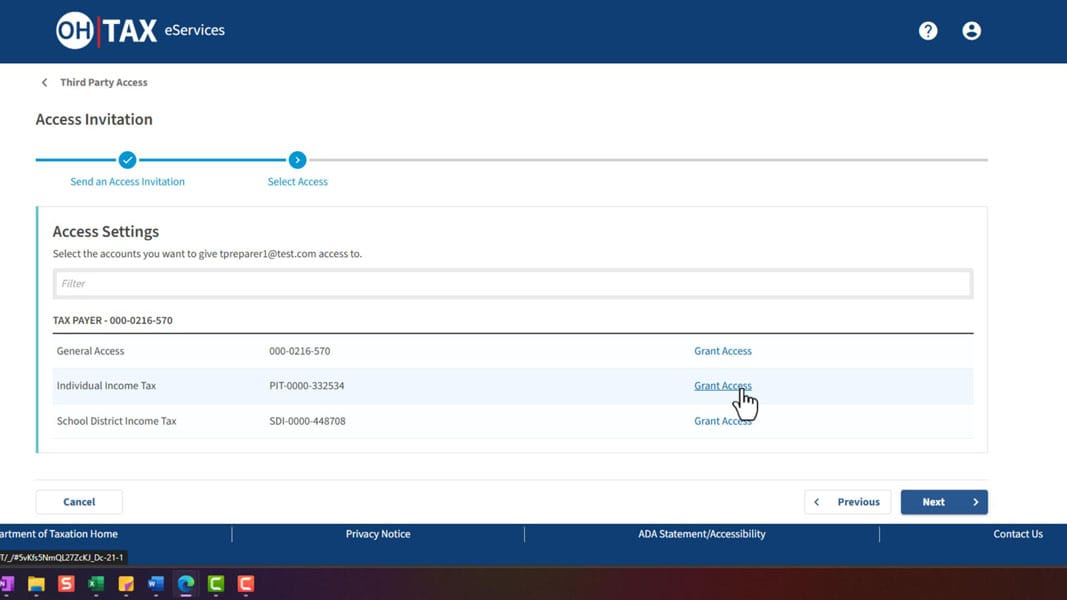
6. Select Grant Access next to Individual Income Tax. If School District Income Tax is listed, grant access to it too.
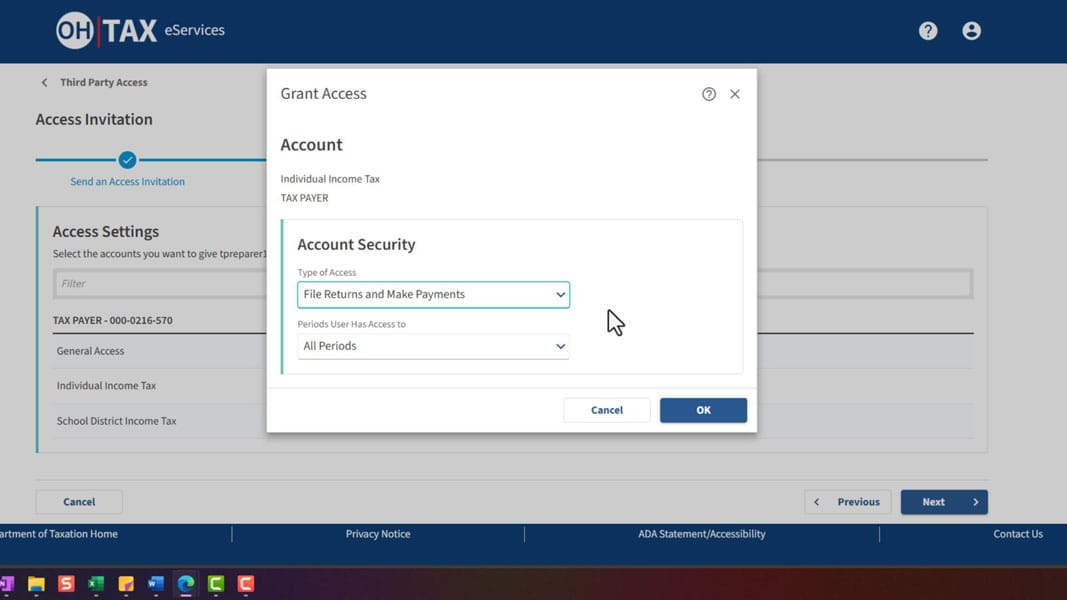
7. For Type of Access, choose File Returns and Make Payments. For periods, choose All Periods. Select OK, then Next.
8. Review the invitation and select Submit.
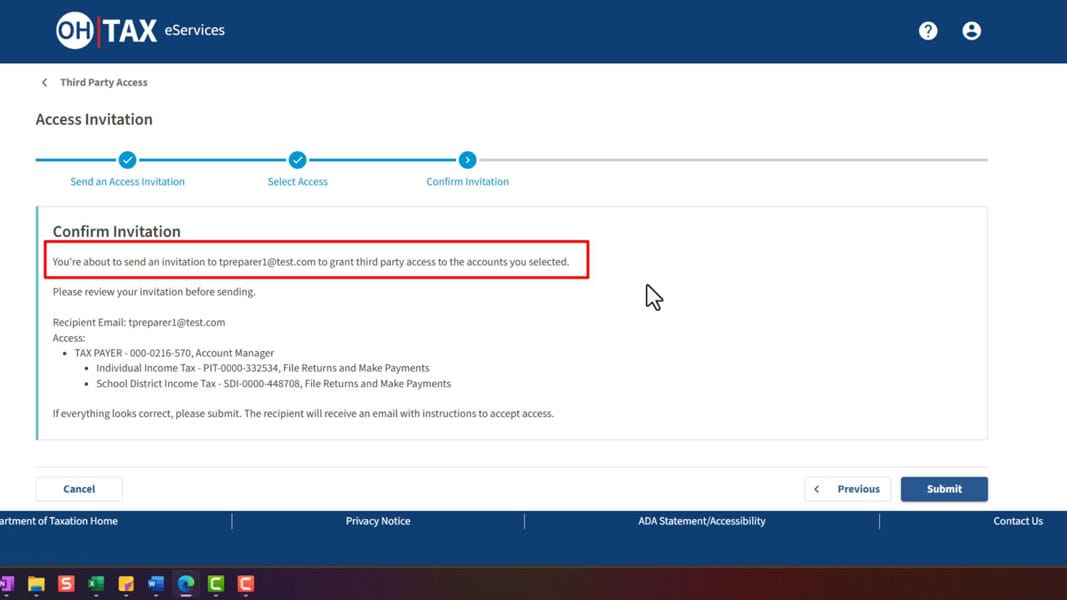
The Department emails the invitation to us and we accept it on our end.
Business accounts
The business's administrator in OH|TAX eServices has to send the invitation.
1. Log in at myportal.tax.ohio.gov and select Manage My Profile in the upper right.
2. Select the Additional Services tab.
3. In the Manage Representative Access tile, select Manage representative access.
4. Select Send an Invitation.
5. Enter Ben's email address in both boxes and select Next.
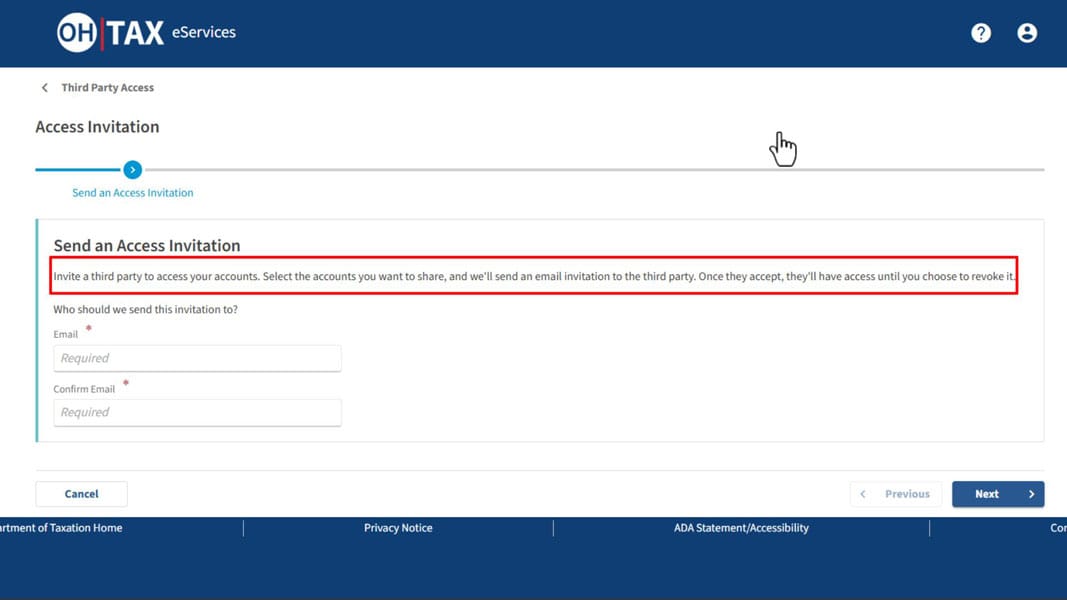
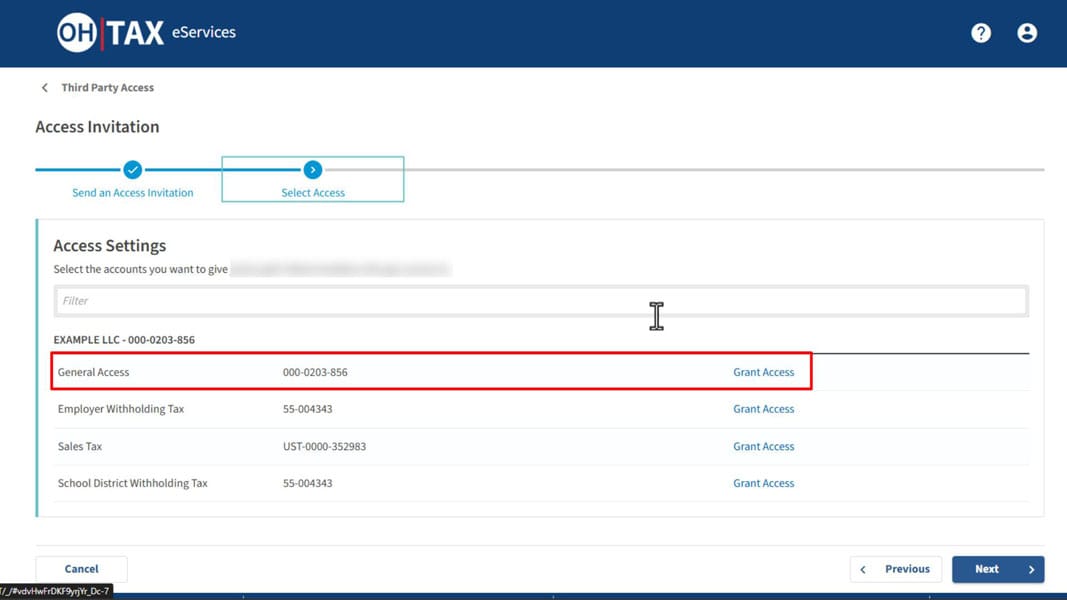
6. Select Grant Access next to General Access.
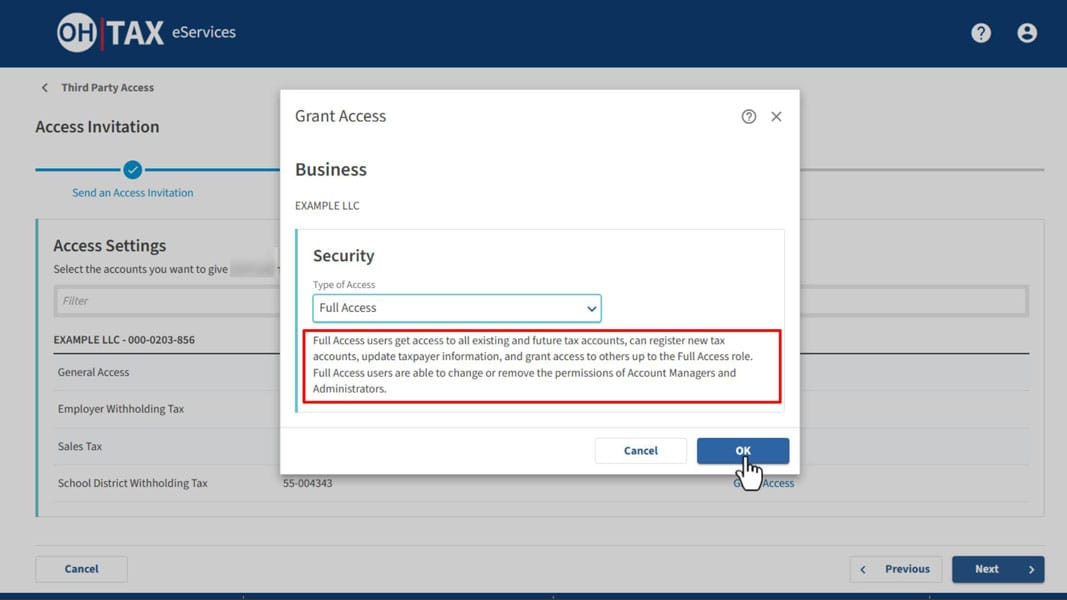
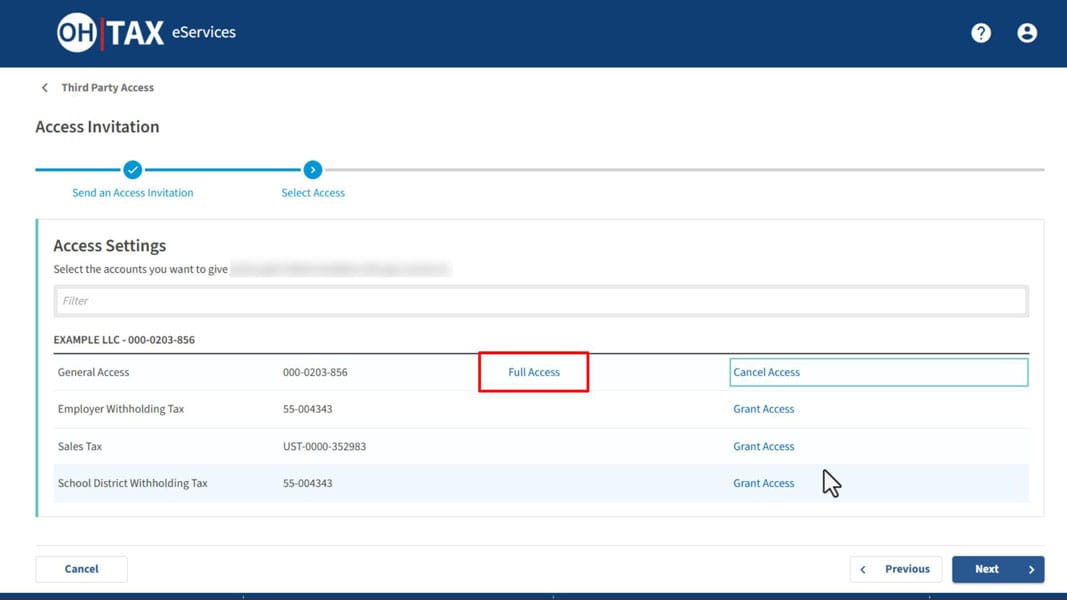
7. For Type of Access, choose Full Access and select OK. Full Access covers all of the business's existing and future Ohio tax accounts. If you'd rather limit us to certain accounts, grant access to those accounts instead of General Access.
8. Select Next.
9. Review the invitation and select Submit.
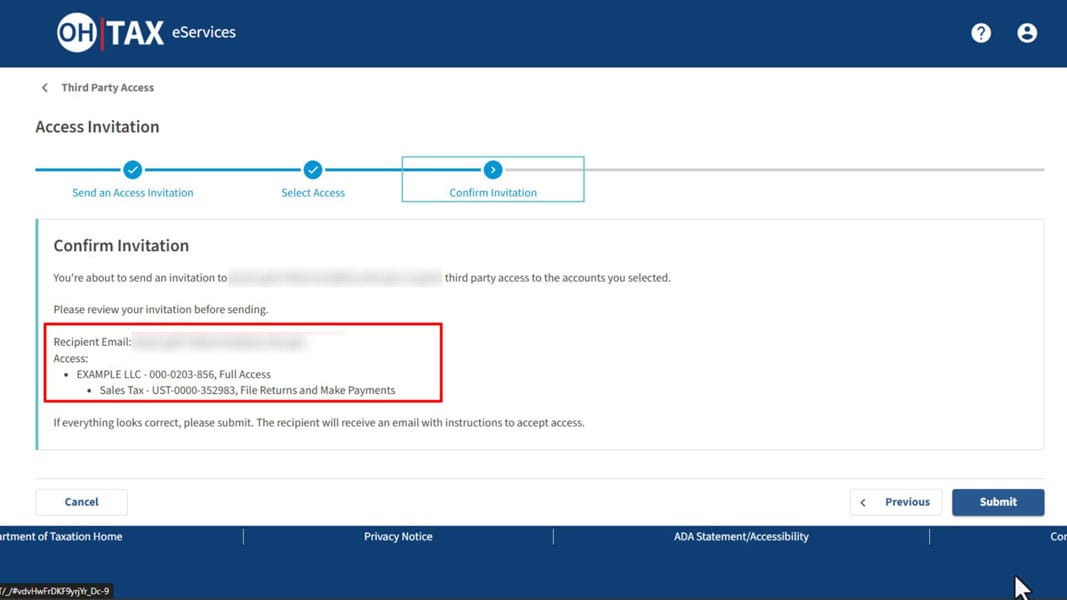
The invitation comes to us from [email protected]. You'll get an email from the Department once we accept it.
If we request access instead
We can also start the request from our side.
For an individual account, the Department sends you a PIN. If you have an OH|TAX eServices account, you'll get an email and the request shows on your Important Notifications tab. If you don't, the Department mails a letter within 5 to 7 business days. Send the PIN to us through the client portal. Only give out the PIN if you know we asked for it.
For a business account, the Department asks us for one item to verify the request: an assessment number, the Letter ID from a Department notice, a previous payment amount, or a refund amount. Send us one of those through the client portal. If the Department can't verify the request, the business's administrator will need to send the invitation above.
Removing access
You can cancel our access at any time from the same Manage Representative Access tile.
Questions? Call us at (614) 362-1992.
Screenshots are from the Ohio Department of Taxation's OH|TAX Self Help Library: Access Another Individual's Income Tax Account and Manage Access Requests for a Business.